

Optician AI · The in-store experience
Let’s prepare your personal lens recommendation.
Answer a few questions about your daily life. The “Lens Recommendation” feature prepares an initial lens recommendation to discuss with your optician.
For your vision
Find lenses for
my everyday life.
“Lens Recommendation” starts with a few questions and presents specific lens options to discuss with your optician.
Prepare your recommendation 5 steps · Starting with your needsFor your practice
I am an optician.
I create the recommendation.
See how a customer's prescription and needs become a structured recommendation, comparison and order through Optician AI.
See the process From your expertise to everyday practiceThe optician’s expertise guides the recommendation; Optician AI supports it.
The in-store workflow
Your expertise. The power of technology.
From prescription to order. See how Optician AI organises the practice workflow, with your professional judgement at every step.
A tour of Optician AI
7:06Playback is unavailable here. Please use the “Open video” link.
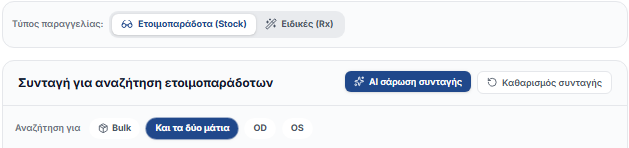
Upload · Enter · Confirm
Step 01 · Prescription & verification
The prescription comes first. You stay in control.
Upload or enter the prescription. AI recognition is followed by your own review before saving.
Start with data you have verified.

Step 02 · Needs & fitting
Everyday life guides the choice.
Frame, lens type, index and lifestyle organise the search. Adjust the filters to your customer’s needs.
The search is linked to the person and the fitting.
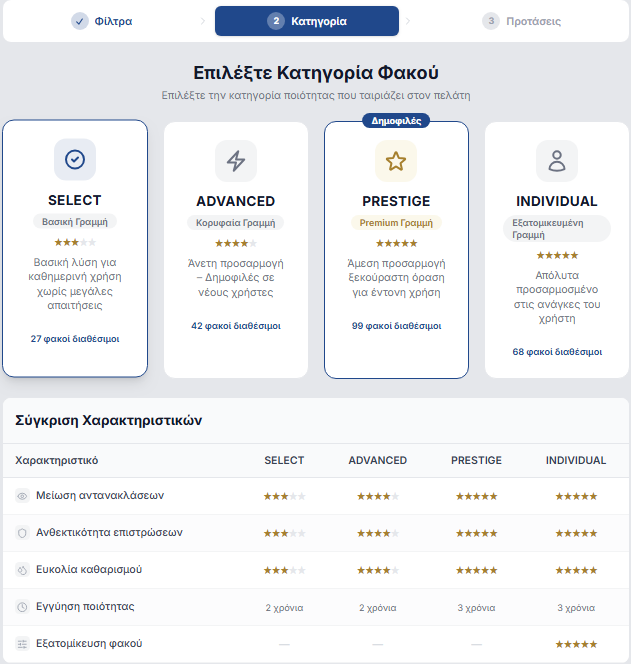
Step 03 · Recommendation
Four categories. One clear presentation.
SELECT, ADVANCED, PRESTIGE and INDIVIDUAL organise the available solutions. Explain what each category offers through specific features.
The customer understands the reasoning behind your recommendation.
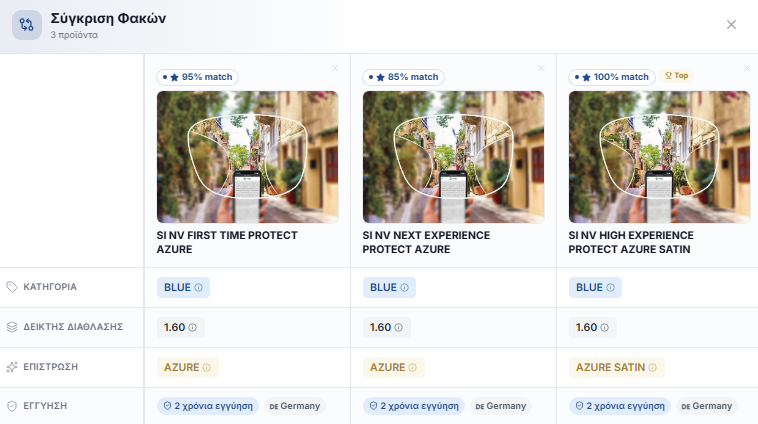
Step 04 · Comparison
The differences become clear.
Lens designs, coatings and features are presented side by side. Your explanation connects the differences to your customer’s needs.
The discussion is based on comparable features.
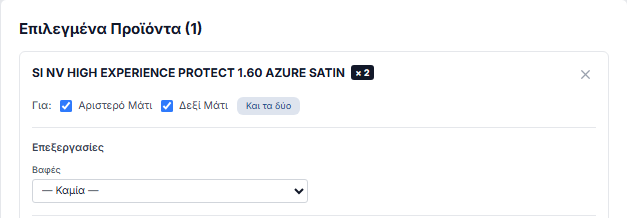
Step 05 · Order
From selection to order.
You connect the lens to the prescription and its parameters. Organise the basket and proceed to complete the B2B order.
The selected solution moves smoothly into the B2B cart.
Step 1 of 5
The optician’s expertise guides the recommendation; Optician AI supports it.
See Optician AI in practice.
Explore how Optician AI works in a presentation for you and your team.